

AI CAMPGROUND
Reservation Assistant
A conversational web prototype that simplifies campground booking through guided dialogue and intelligent filtering. Built with AI-assisted design tools, it emphasizes fairness, inclusivity, and privacy to create a more transparent and human-centered experience.
-
Responsibilities:
- UX research and design
- AI prompting and tool selection
- UX/UI design systems
- Lo-fi and hi-fi wireframe generation
- Prototyping
- Usability evaluation
- Ethics compliance -
Challenges:
- AI output consistency
- Ethical design balance
- Prompt interpretation limits
- Privacy and transparency
- Human-centered alignment -
Tools & Software:
- Figma
- Miro
- Adobe CS
- ChatGPT
- Maze UX Research
- UXMagic.ai -
Duration:
- 12 weeks
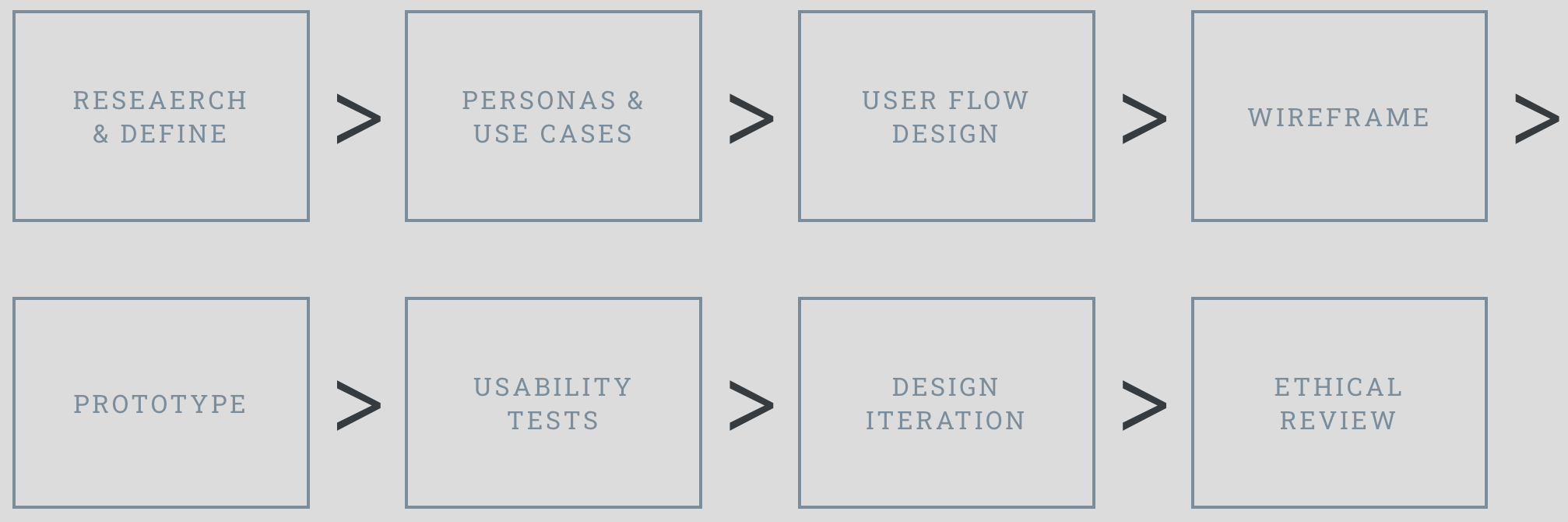
Design Process
>
>
>
>
>
>
>
AI tools accelerated the visual design process, freeing me to prioritize human-centered decisions around accessibility, clarity, and user comfort. This allowed the prototype to evolve faster while becoming more empathetic and user-driven.
Design ProcesS
-
As a UX researcher, I want to understand how campers think about and experience the online booking process.
Specifically, I want to explore what expectations they bring in, how they navigate the system while booking, and how they feel about the outcome once it’s complete.
My goal is to identify both recurring patterns and outlier frustrations that shape the overall booking experience.
-
Understand campers’ expectations, navigation behavior, and emotional outcomes across the online booking journey so you can spot common patterns and outlier frustrations that shape the experiene.
-
Split by timeline to capture the full journey.
Before Booking
What do campers expect from the booking process.
What information do they need up front.
What motivates platform choice.
What emotions or concerns they bring in.
During Booking
How they search and filter.
Which UI elements help or hinder.
Where errors and surprises occur.
How they make tradeoffs when the ideal site or dates are unavailable.
After Booking
How confident they feel about the reservation.
Whether outcomes matched expectations.
What they would change next time.
Overall satisfaction and likelihood to recommend.
-
Survey format
Target completion under ten minutes.
Mix of closed questions for quant patterns and a few focused open ends to capture nuance.
Use device-appropriate design. Most campers will answer on mobile.
Sampling and distribution
Recruit on social media. Ask within 7 to 14 days of a reservation for a fresh recall.
Include both peak and off-peak seasons.
Balance by experience level, party type, device, and platform used.
Channels: post-booking email, in-app prompt, community groups, park newsletters.
Incentives
Keep it simple. Entry into a camping gear raffle or a small discount on a future booking.
Data quality controls
One attention check.
Detect straight-lining and very fast completes.
Block duplicates by user ID or email hash.
Require a minimum character count on the key open end.
-
Quantitate:
Create journey scores by averaging item ratings for calendar, map, filters, speed, transparency, rules, and checkout.
Build a Friction Index. Combine difficulty rating, reported errors, and abandonment intent.
Run MaxDiff to rank feature importance. Use hierarchical Bayes if your tool supports it.
Segment by planning style, device, party type, and platform. Compare satisfaction and friction across segments.
Flag outliers. Look for the bottom decile on satisfaction or confidence to identify extreme pain cases.
Qualitative
Thematically code the two open ends. Start with buckets like availability anxiety, map confusion, price surprise, account friction, payment failure, rules clarity, confirmation gaps.
Pull verbatims that illustrate each theme. Keep one or two short quotes per theme.
Map themes to journey stages to expose where issues cluster.
Turn insights into personas
Use k-means or simple rule-based clustering on planning style, device, flexibility, and feature importance.
Expect at least three to four mindsets to emerge for persona generation.
Validate by checking each cluster’s distinct pain points and satisfaction.
-
Campers enter the booking process both excited and anxious, with campground availability and rules driving their stress points.
Calendars and reviews are core tools; filters and photos help but are secondary.
Campers are satisfied with outcomes, but still encounter friction in account flow, booking confirmation, and bundling during payment.
AI-ASSISTED Research & ANALYSIS Plan
Personas translated research insights into actionable user archetypes, shaping design decisions to address both shared patterns and edge-case frustrations.
AI-ASSISTED Persona GENERATION
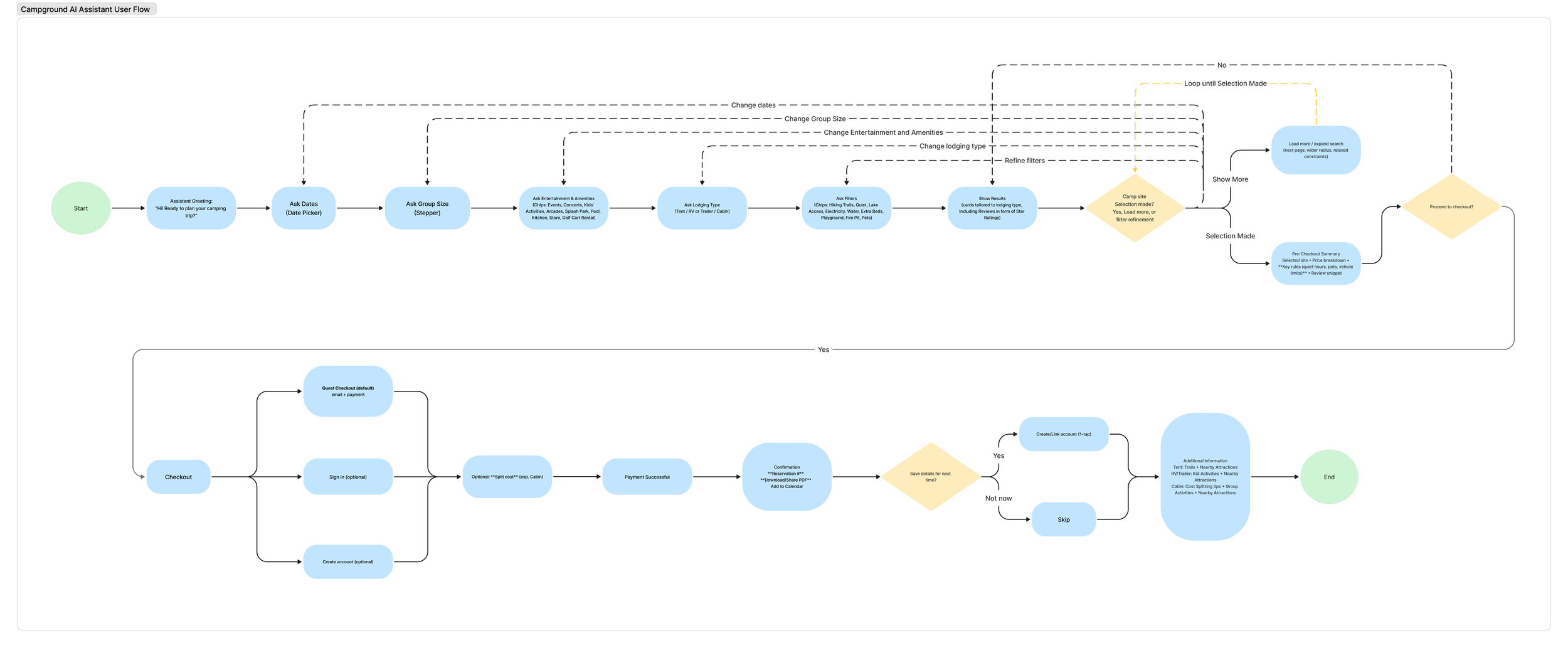
Based on research insights and persona needs, the user flow structure was generated in Mermaid and translated into a visual diagram using a Figma plugin.
AI-ASSISTED User Flow Design
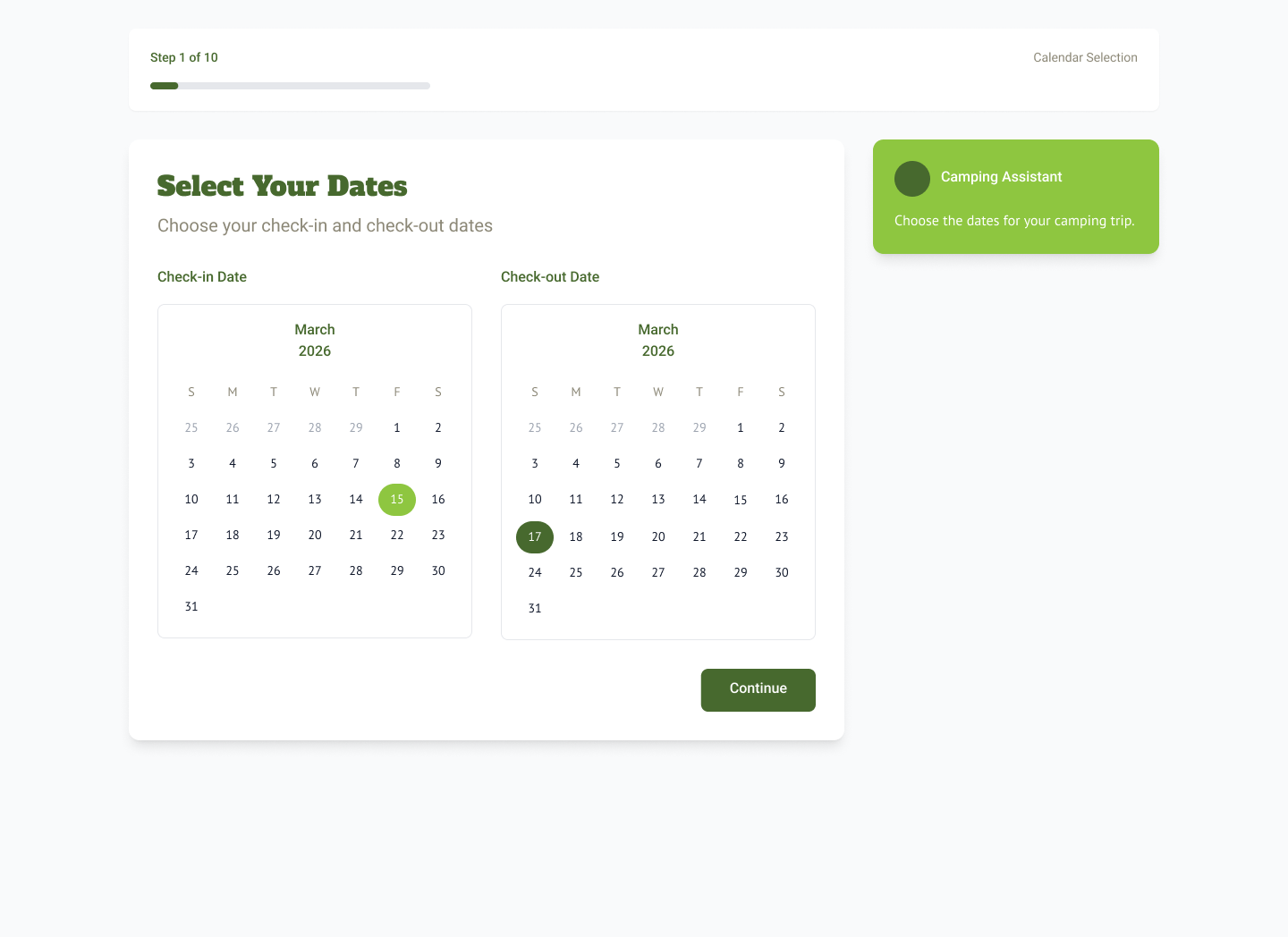
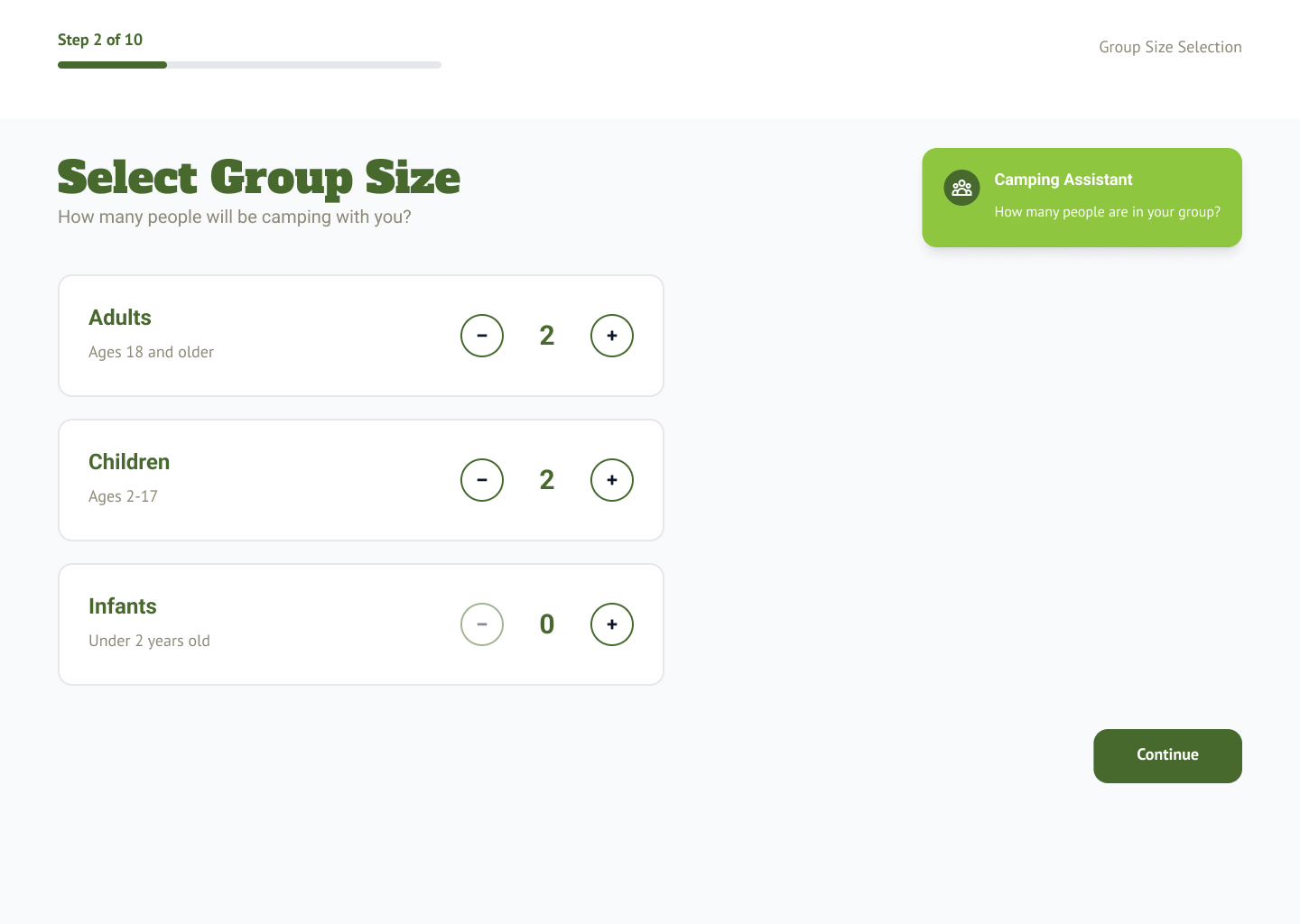
Three wireframes were developed to explore different AI Reservation Assistant approaches within the user flow, each tailored to key persona expectations.
AI-ASSISTED WireframING
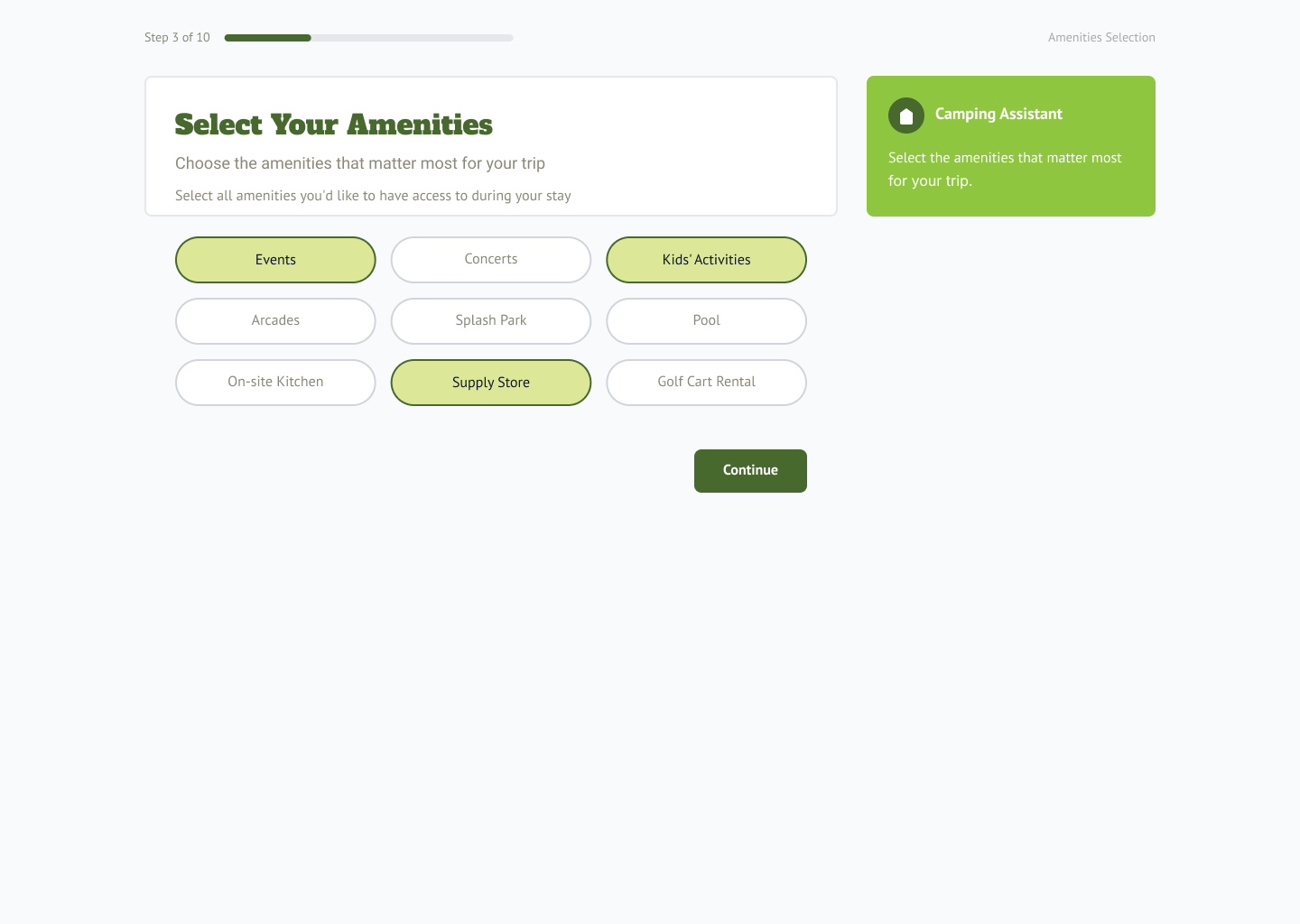
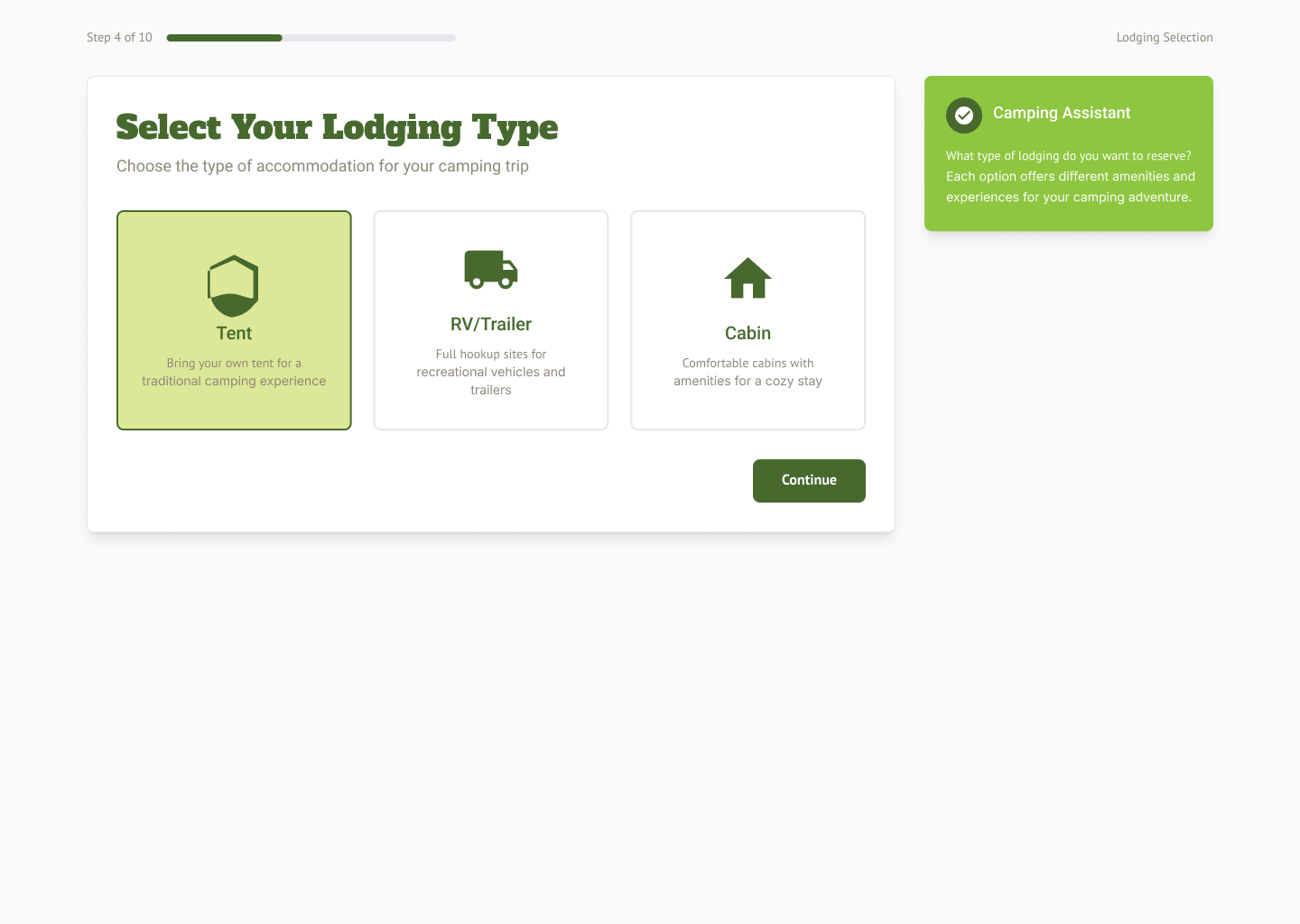
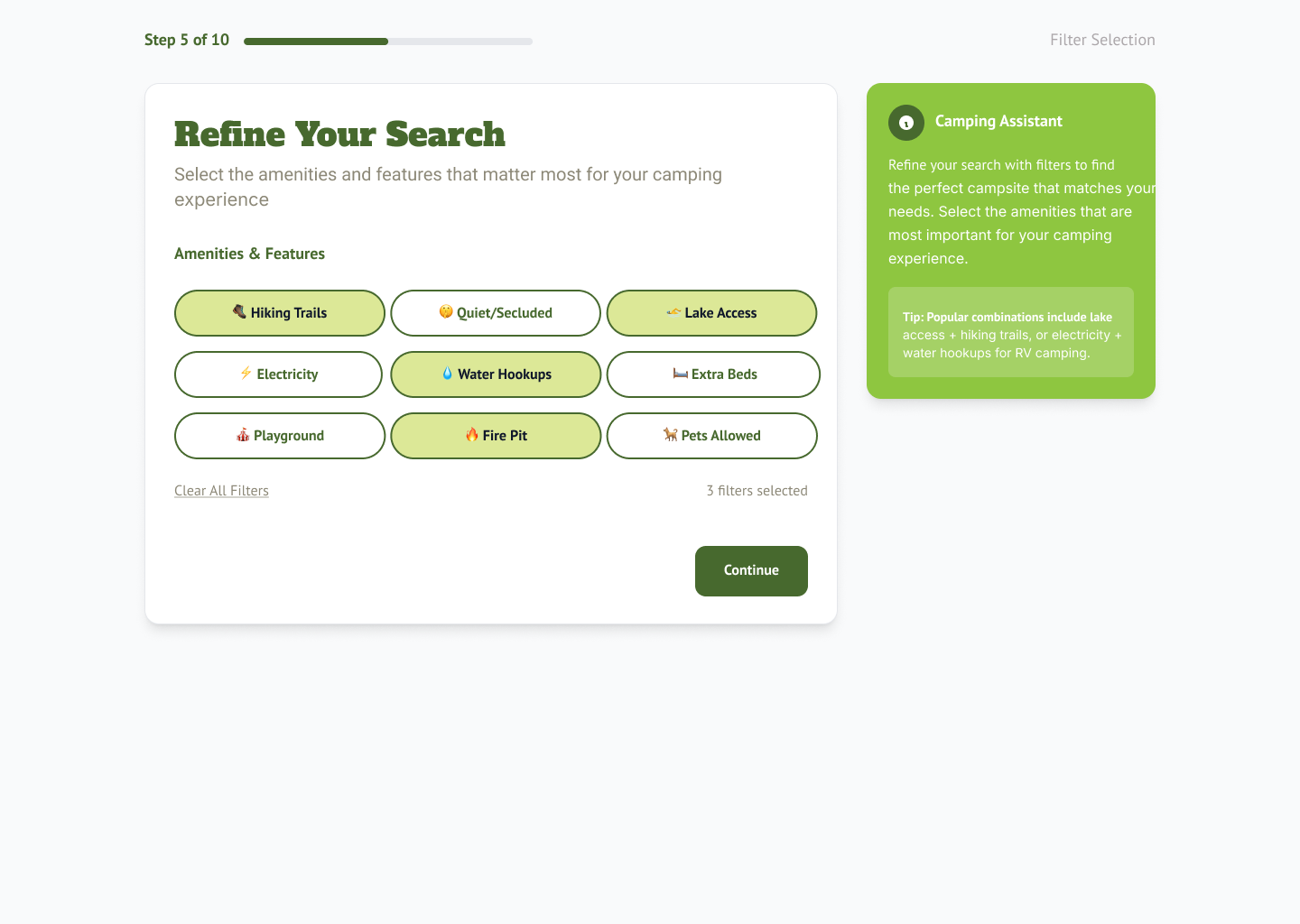
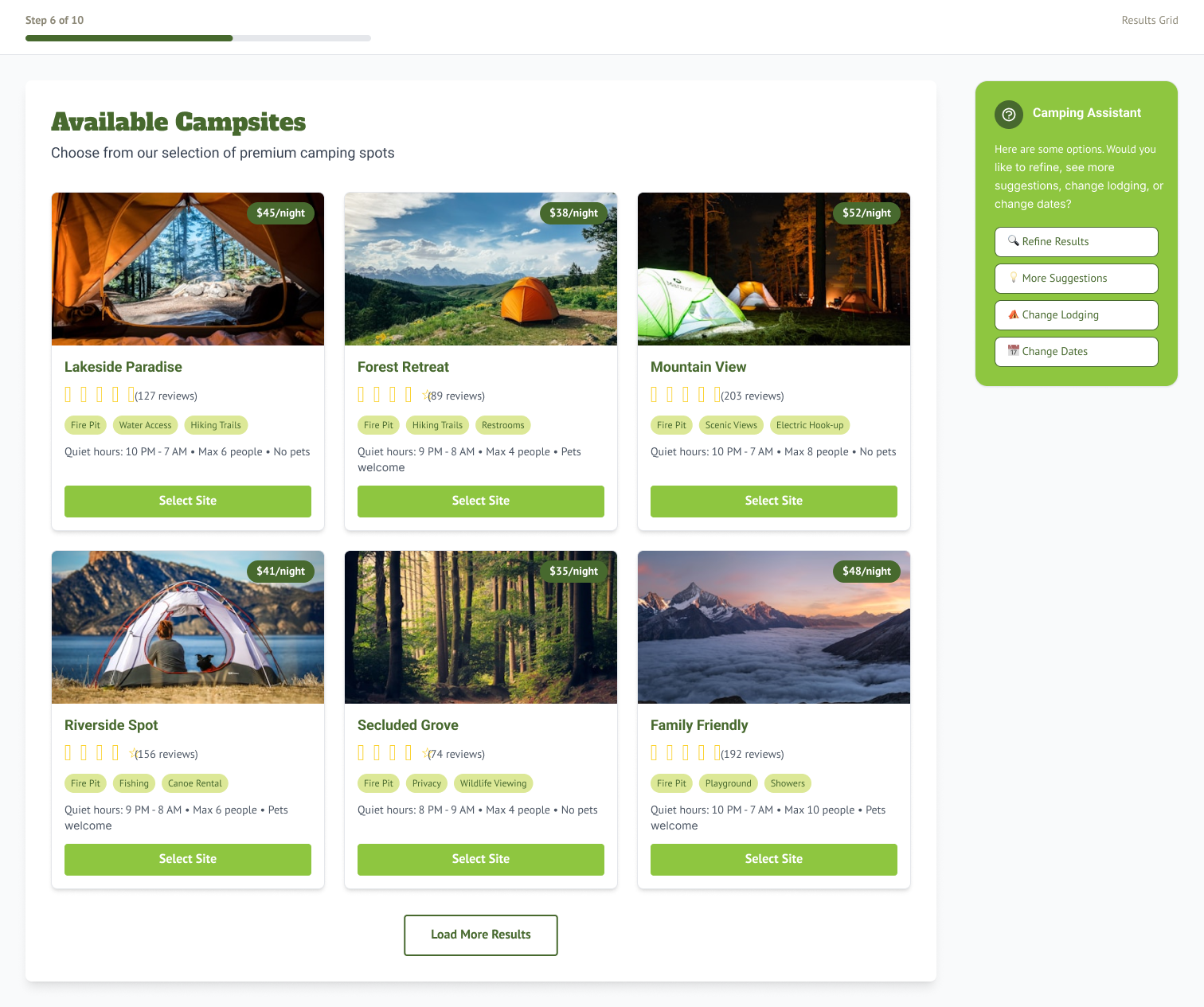
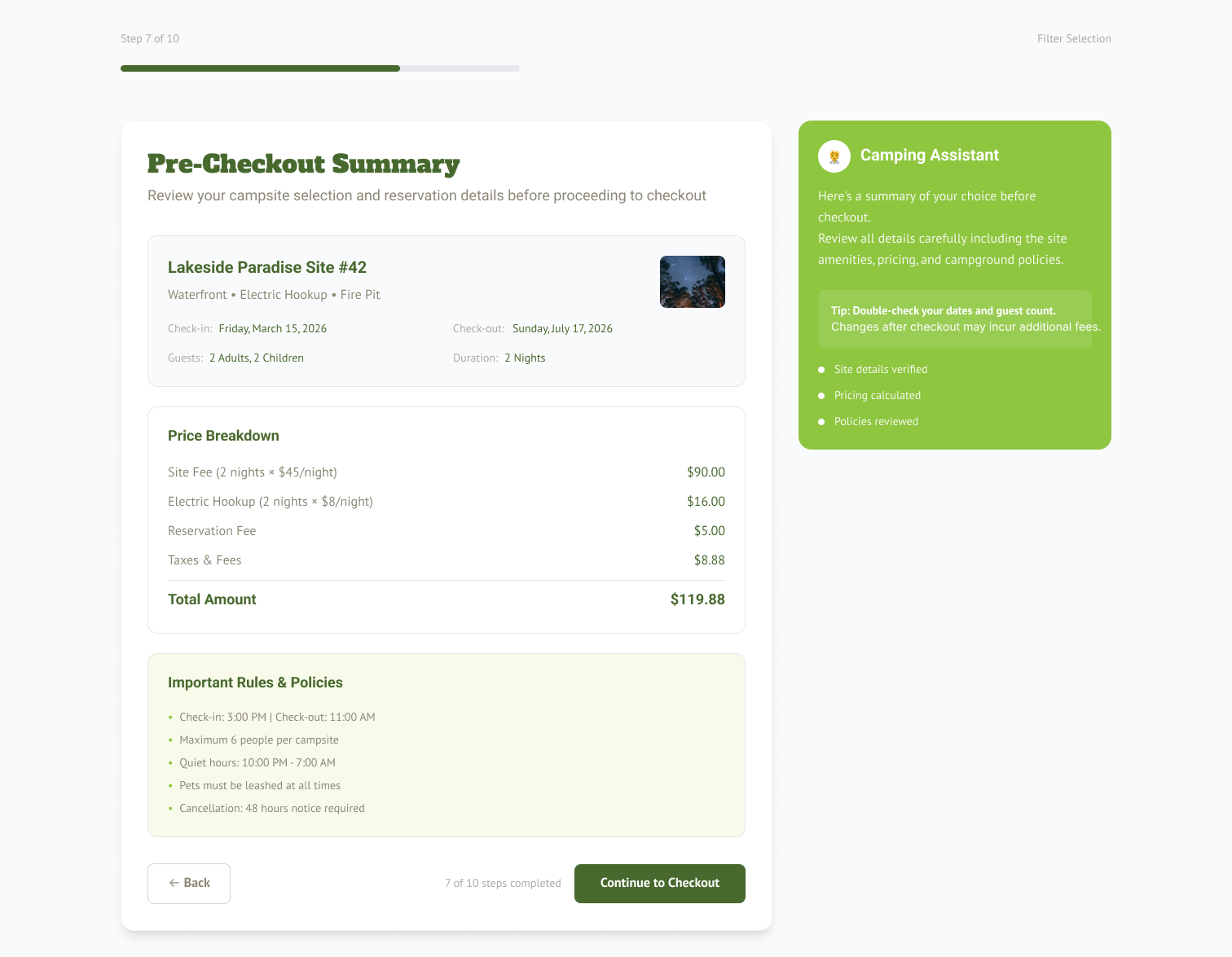
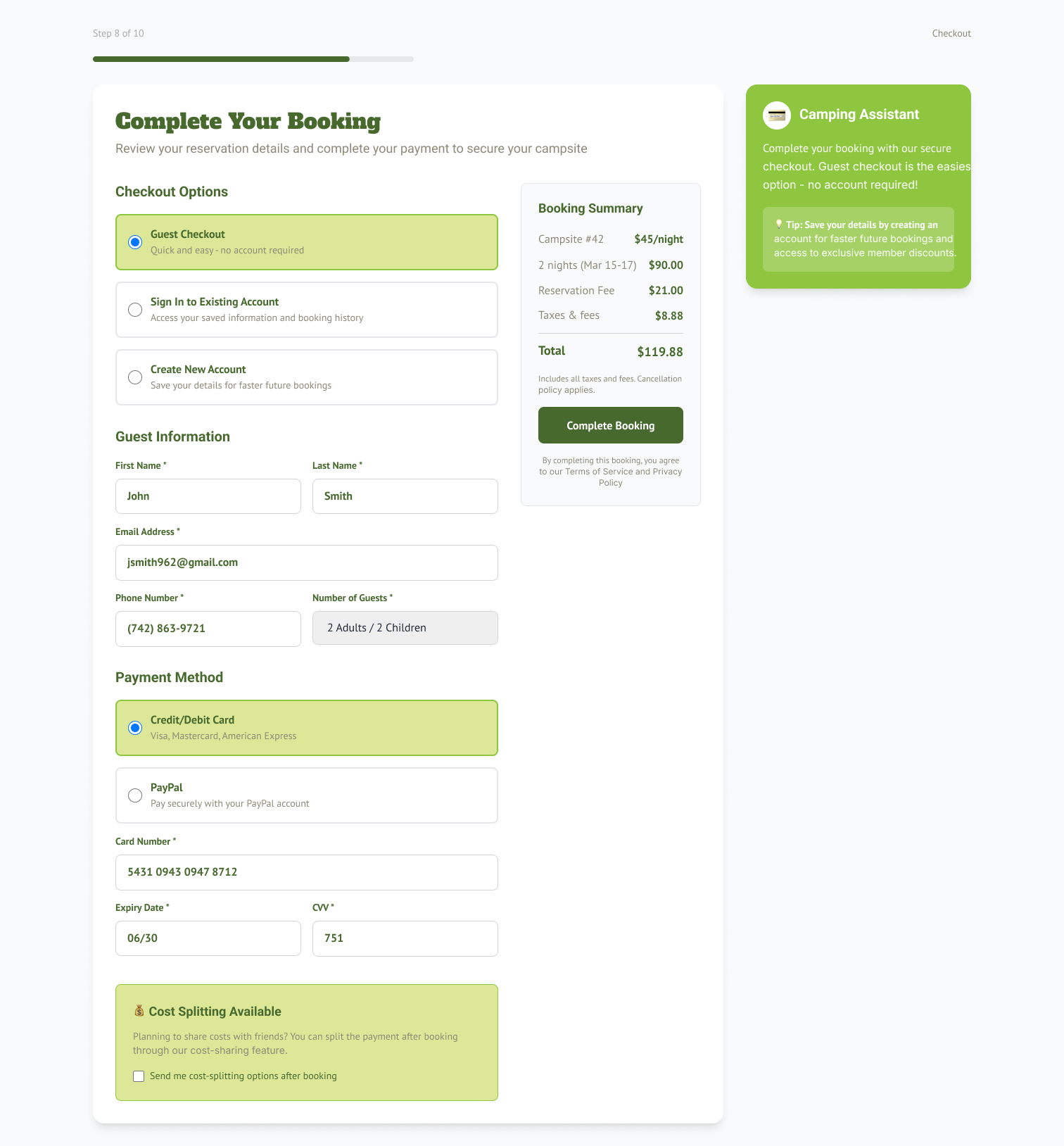
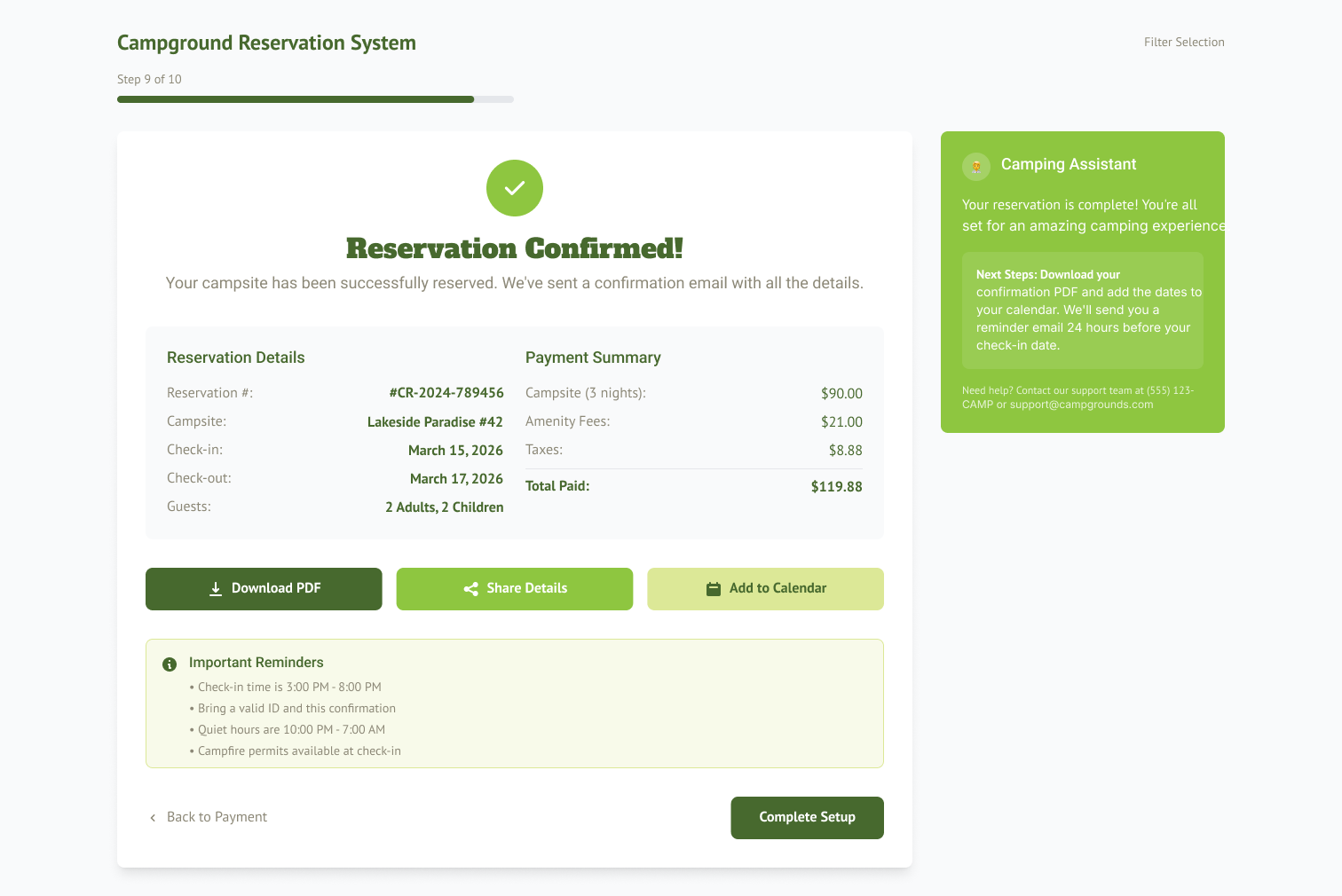
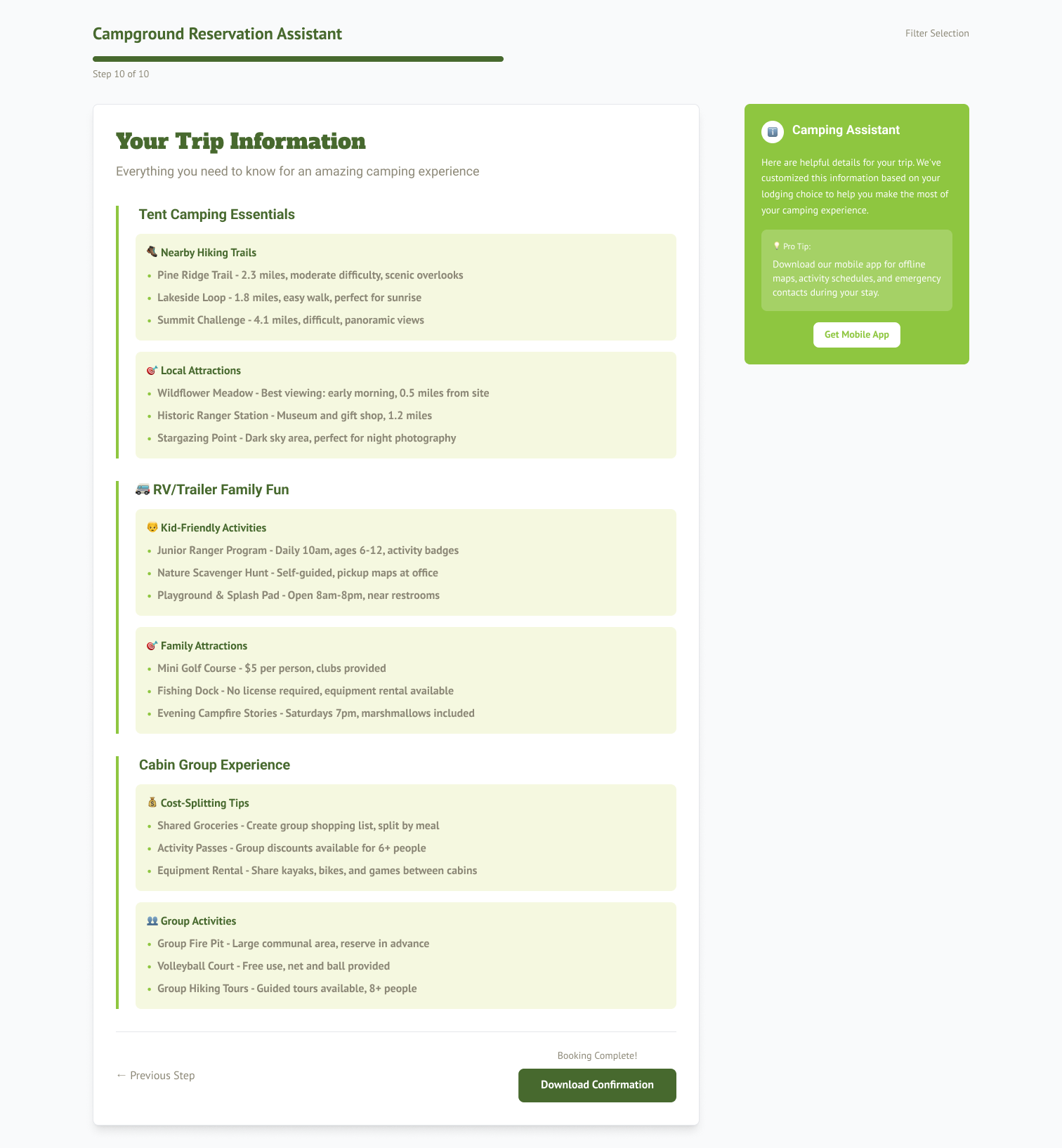
AI was used to generate a style guide that included color palettes, visual elements, and iconography. This style guide served as the foundation for the UI in the first round of wireframe prototyping. A card-based experience with the chatbot providing side navigation for the booking process was prototyped.
PrototypING
AI-ASSISTED USABILITY TESTING
AI-ASSISTED Design Iteration
Ethical Review
Final thoughts & reflections
The project was gratifying; I used what I learned from smaller projects to help create a UX that felt intuitive and natural.
I would have liked to have done more game experience testing (beyond the UX/UI) to see how players felt about the game.
Looking Back
Communication with developers and graphics teams is essential in producing a good design.
Testing designs internally under time constraints is okay if the participants are diverse.
Do research and look to other good designs for inspiration.
The best designs sometimes get the least amount of feedback.